Certificates
Certificates that answer for themselves.
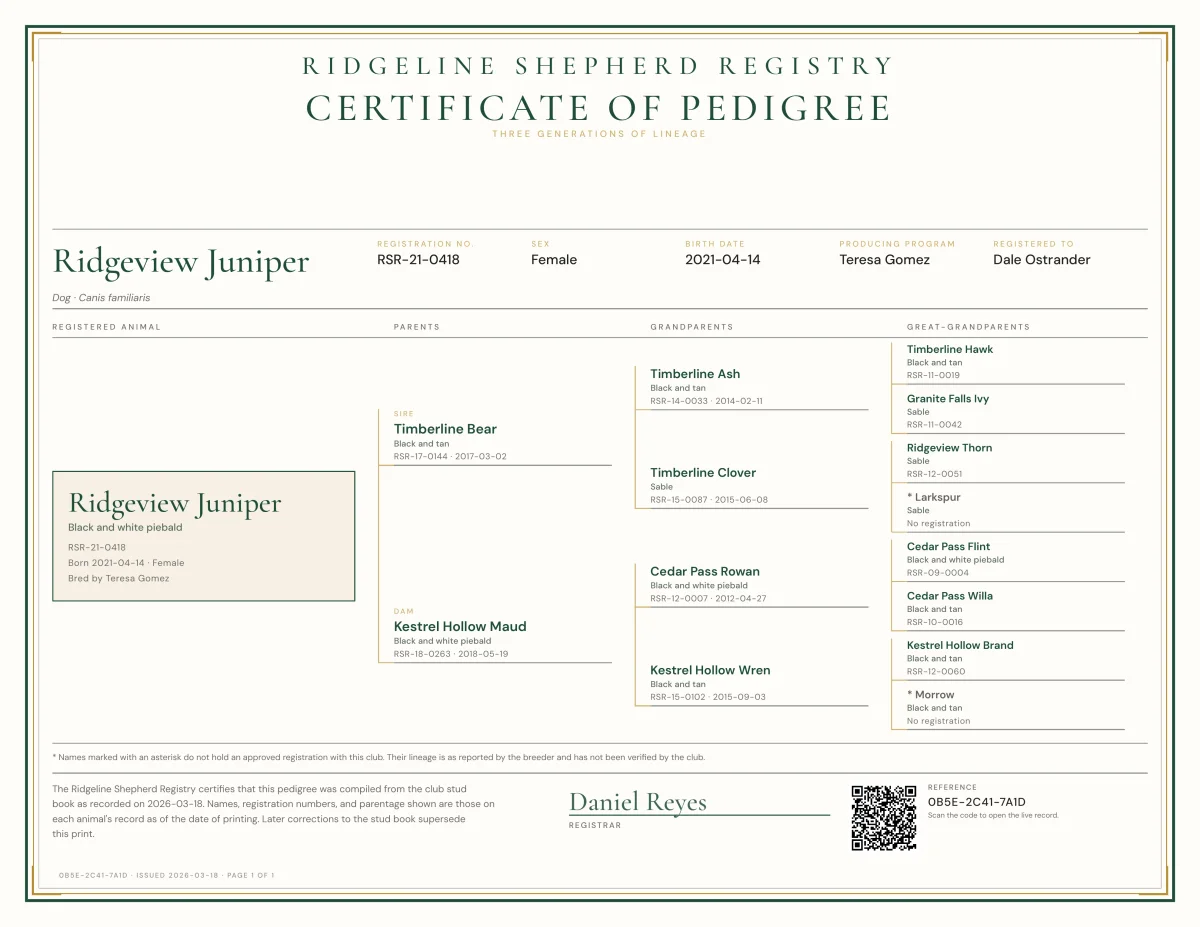
Newly issued certificates carry a QR code that opens a verify page on your club’s own site, so a buyer or another registry can check one without calling the registrar.
Your seal
Your seal, your signatory.
Certificates carry your club’s seal once you upload it, the signatory your club names, the registration details and both parents from the record.
- Your seal on your club’s certificates, once uploaded
- Designations printed on the certificate
Public verify page
Two answers, said plainly.
The verify page never shows the owner’s contact details. It shows what a third party needs to trust the paper in their hand.
Valid registration
This is the current certificate, and the registration stands.
Registration revoked
The registry revoked this registration, and certificates for it are void.
Reissue and revoke
Corrections with a paper trail.
Reissuing asks for a reason and emails the certificate again to the address you choose. Revoking asks for a reason and a typed confirmation, and the member sees the reason.
- Download the certificate as a PDF
- Reissue with a reason, emailed to the address you choose
- Revoke with a reason
Questions
Certificate questions.
Can we print certificates ourselves?
Do older certificates still verify?
Can we use our own seal?
Book a demo
See your certificate on the call.
Send your seal ahead and I will show it on a sample certificate on the call.